Dive Computer Demystified: A Beginner's Guide to Key Metrics
Introduction: Why Understanding Your Dive Computer is Crucial
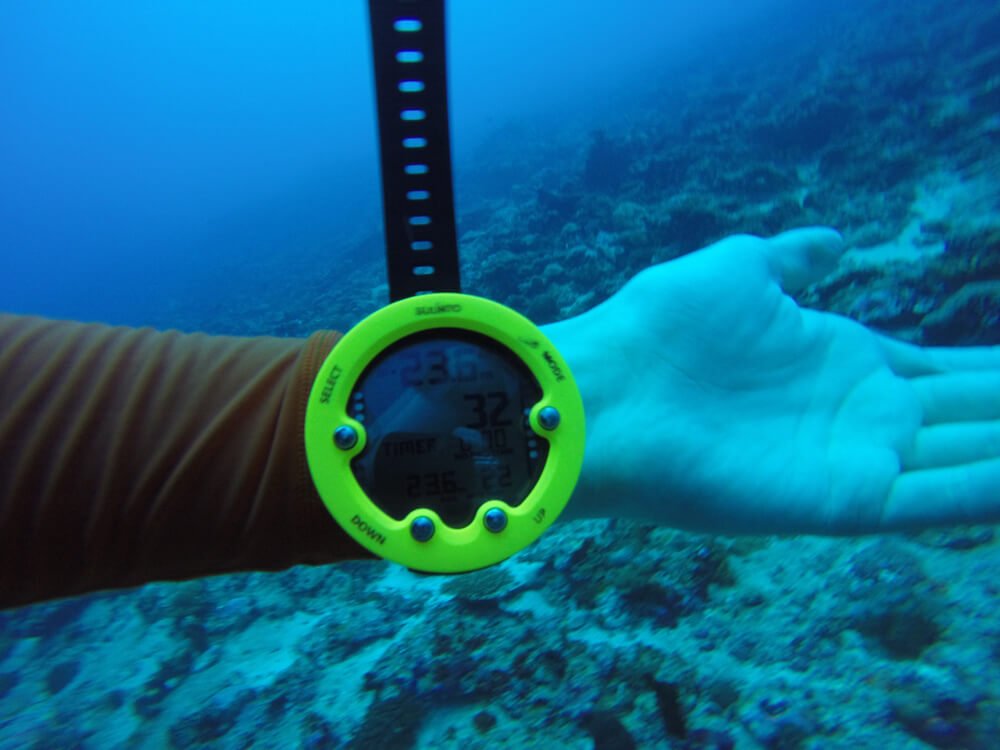
A dive computer is an essential piece of equipment for modern scuba diving, effectively replacing dive tables and providing real-time data to help you stay safe underwater. Instead of manually calculating your dive profile and decompression requirements, the dive computer continuously monitors your depth, time, and other factors, providing up-to-the-minute information.
Understanding the data displayed on your dive computer is crucial for safe diving. It allows you to make informed decisions about your dive profile, air consumption, and ascent rate, minimizing the risk of decompression sickness (DCS) and other diving-related injuries.
This guide is designed for beginner divers and focuses on the most essential metrics displayed on a typical dive computer. We'll break down the key information you need to know to dive confidently and safely.
Core Dive Computer Metrics: What You Need to Know
Depth
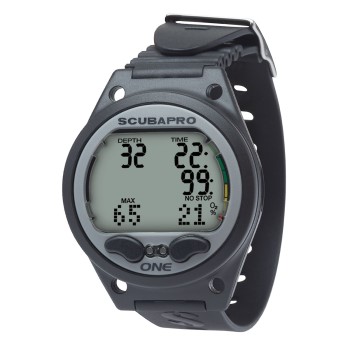
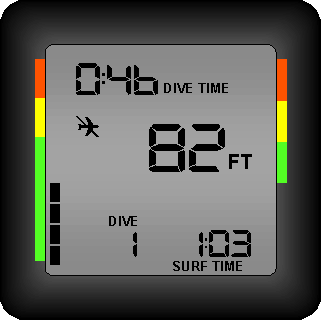
Explanation: Your dive computer displays both your current depth and the maximum depth you've reached during the dive.
Importance: Depth is a fundamental metric for monitoring your no-decompression limits (NDL) and understanding your overall dive profile. Staying within your planned depth limits is essential for safe diving.
Tip: Regularly check your depth gauge, especially when navigating complex dive sites or diving in areas with varying depths.

Dive Time
Explanation: Dive time is the elapsed time since you started your dive, typically measured in minutes.
Importance: Dive time is crucial for tracking your remaining air supply and calculating decompression requirements. Monitoring your dive time helps you avoid exceeding your no-decompression limits.
Warning: Always start your dive with a full tank of air and monitor your air consumption throughout the dive.

No-Decompression Limit (NDL)
Explanation: The no-decompression limit (NDL) is the amount of time you can stay at your current depth without requiring mandatory decompression stops during your ascent.
Importance: The NDL is arguably the most critical metric for avoiding decompression sickness (DCS). Exceeding your NDL can significantly increase your risk of DCS.
Expert Advice: Treat your NDL as a guideline, not a target. It's always safer to ascend with plenty of time remaining on your NDL.
Ascent Rate
Explanation: Ascent rate is the speed at which you are ascending towards the surface, typically measured in feet per minute (fpm) or meters per minute (mpm).
Importance: Ascending too quickly can lead to DCS. Dive computers provide visual and/or audible warnings if you exceed the recommended ascent rate.
Tip: Maintain a slow and controlled ascent rate, typically around
30 fpm (9 mpm).

Water Temperature
Explanation: Water temperature is the temperature of the water you are diving in, typically measured in degrees Celsius or Fahrenheit.
Importance: Water temperature helps you determine the appropriate exposure protection (wetsuit or drysuit) to prevent hypothermia.
Tip: Consider the duration of your dive when choosing your exposure protection. Longer dives in cold water require more insulation.

Understanding Decompression Stops
Explanation: Decompression stops are mandatory pauses at specific depths during your ascent that allow your body to eliminate excess nitrogen absorbed during the dive. They are necessary when you exceed your no-decompression limits.
Your dive computer calculates decompression stop depths and times based on your dive profile, including your maximum depth, dive time, and ascent rate. The computer will display the depth and duration of each required stop.
What to do if your dive computer indicates a mandatory decompression stop:
- Immediately stop your ascent and descend to the indicated decompression stop depth.
- Maintain that depth for the required amount of time.
- Ascend slowly to the next decompression stop depth, if applicable.
- Once all decompression stops are completed, ascend slowly to the surface.
Warning: Never ignore a mandatory decompression stop. Skipping decompression stops can significantly increase your risk of DCS.

Air Integration: Monitoring Your Air Supply
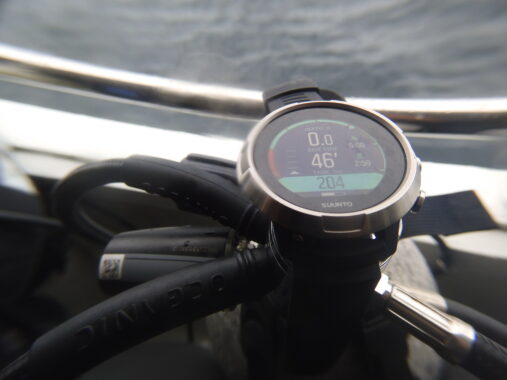
Explanation: Air-integrated dive computers are connected to your regulator and display your tank pressure directly on the computer screen. They provide real-time information about your remaining air supply.
Importance: Monitoring your Remaining Bottom Time (RBT) or air pressure is crucial for safe diving. Running out of air underwater can be a life-threatening situation.
Setting air pressure alarms can help you avoid running low on air. You can typically set alarms for low air pressure and reserve air pressure.
Tip: Set your low air pressure alarm to alert you when you reach
50 bar (750 psi)and your reserve air pressure alarm to alert you when you reach30 bar (500 psi).
Beyond the Basics: Other Useful Metrics
Once you're comfortable with the core metrics, you can explore other useful features offered by some dive computers:
-
Tissue Loading: This more advanced metric shows the nitrogen saturation in different body tissues. It can help you understand your body's nitrogen absorption and elimination.
-
Oxygen Partial Pressure (PO2): This is crucial for technical diving with enriched air nitrox. It indicates the amount of oxygen in your breathing gas.
-
Compass Heading: Some dive computers have built-in digital compasses for navigation underwater.
Tips for Using Your Dive Computer Effectively
-
Read the manufacturer's manual thoroughly before diving. Every dive computer is different, and it's essential to understand the specific features and functions of your model.
-
Practice using your dive computer in a controlled environment (e.g., a pool). This will help you become familiar with the display and controls.
-
Plan your dives conservatively and stay within your limits. Don't push your limits just because your dive computer allows it.
-
Never share a dive computer between divers. Each diver's dive profile is unique, and sharing a dive computer can lead to inaccurate calculations.
-
Consider taking a dive computer specialty course. This can provide you with in-depth knowledge of dive computer theory and operation.
Conclusion: Dive Safer, Dive Smarter
Understanding your dive computer metrics is essential for safe and enjoyable diving. By monitoring your depth, dive time, NDL, ascent rate, and air supply, you can make informed decisions and minimize the risk of diving-related injuries.
Continue learning about dive computers and diving safety. The more you know, the better equipped you'll be to handle any situation that may arise underwater.
Sign up for our newsletter for more diving tips and information!
